![]() |
|||||||||
|
COMPANY: Topaz Labs | URL: (See Buy & Info links below) | TYPE: Plug-in | PLATFORM: Mac, Windows | PRICE: $79.99
|
|||||||||
|
|||||||||
![]() |
![]() |
||||||||
![]() |
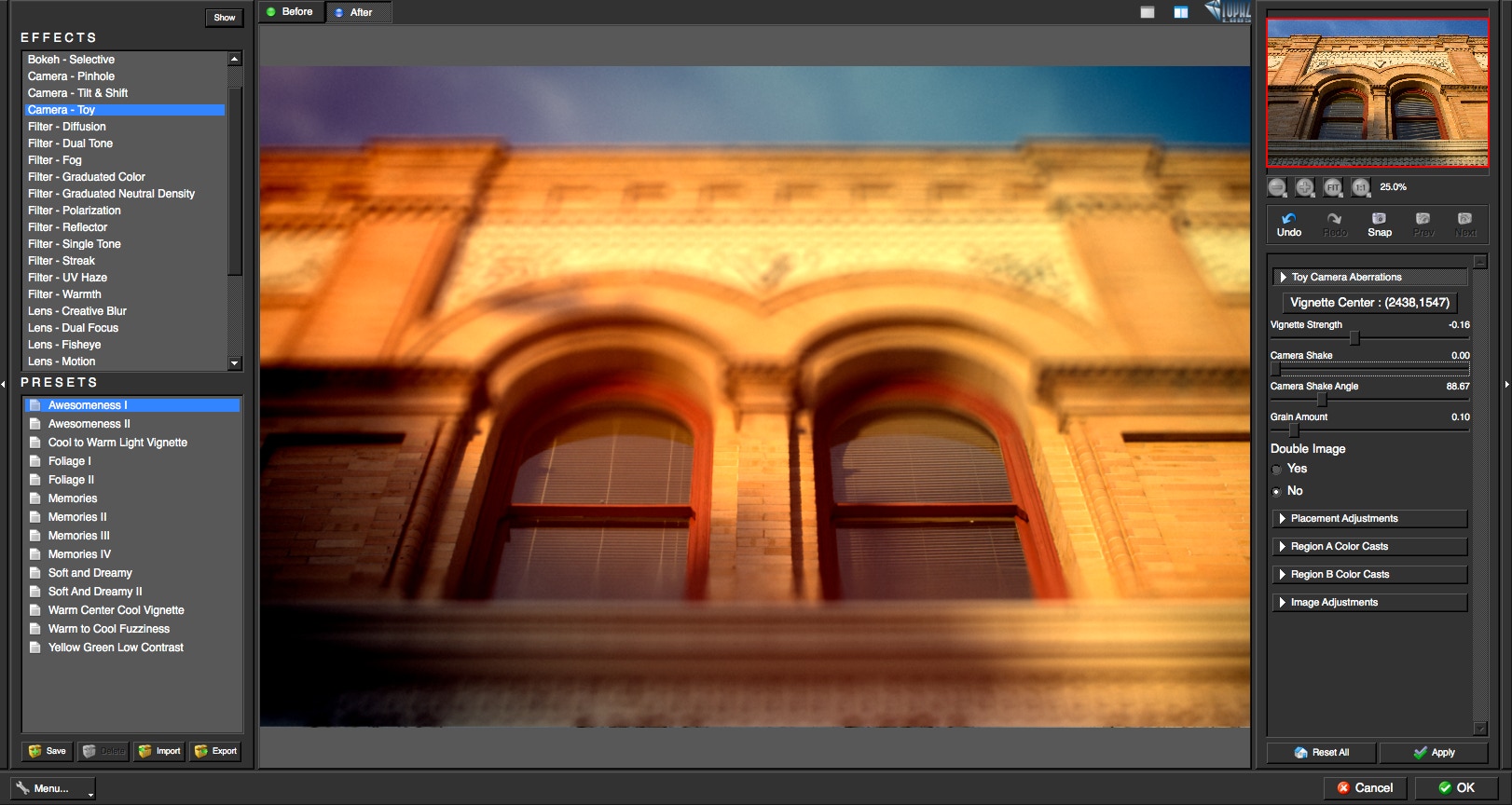
Topaz Lens Effects is designed to give you the power to direct and focus your viewer's eyes where you want them. With Lens Effects, you get advanced technology that realistically simulates the most diverse range of filters, lens and specialty camera effects all in a single, easy-to-use plug-in that eliminates the need for additional, expensive equipment. With the integration of the new Smart Brush tool for a simple way to create depth maps, Lens Effects makes it easier than ever to adjust depth-of-field, emphasize your focal point, create beautiful bokeh effects, balance color tone, simulate SLR lenses and have complete creative control of your image after the shot. In addition to photography essentials, Lens Effects also features tools for creating image motion, creative distortions, miniature scenes, toy camera effects and a wide range of other popular effects. Flexibility After the Shot Traditionally, most lens and filter effects are interposed at the time of the shot. However, Topaz Lens Effects extends the functionality beyond your camera, giving you the convenience and flexibility to add any number of filter, lens, hood and specialty enhancements after the shot. This type of control helps simplify your shooting process by simulating the abilities of your camera equipment inside of Photoshop. Lens Effects offers a more effective way to explore the many benefits that traditional lenses and filters offer in just a click. Lens Effects Highlights •20 effects and over 130 presets for a faster, more creative workflow •Quickly generate bokeh, blur, vignettes and lens characteristics •Easy selective adjustments with Smart brush & gradient tool •Ability to stack presets/effects using the new "Apply" button •Separate controls for adjusting background and foreground •Enhanced sharpening algorithm •1-click center focus and effect center selection •Split-screen preview options for easy comparison •Smart filter compatible |
||||||||
![]() |
|||||||||
![]() |
|||||||||
![]() |
|||||||||
![]() |
|||||||||