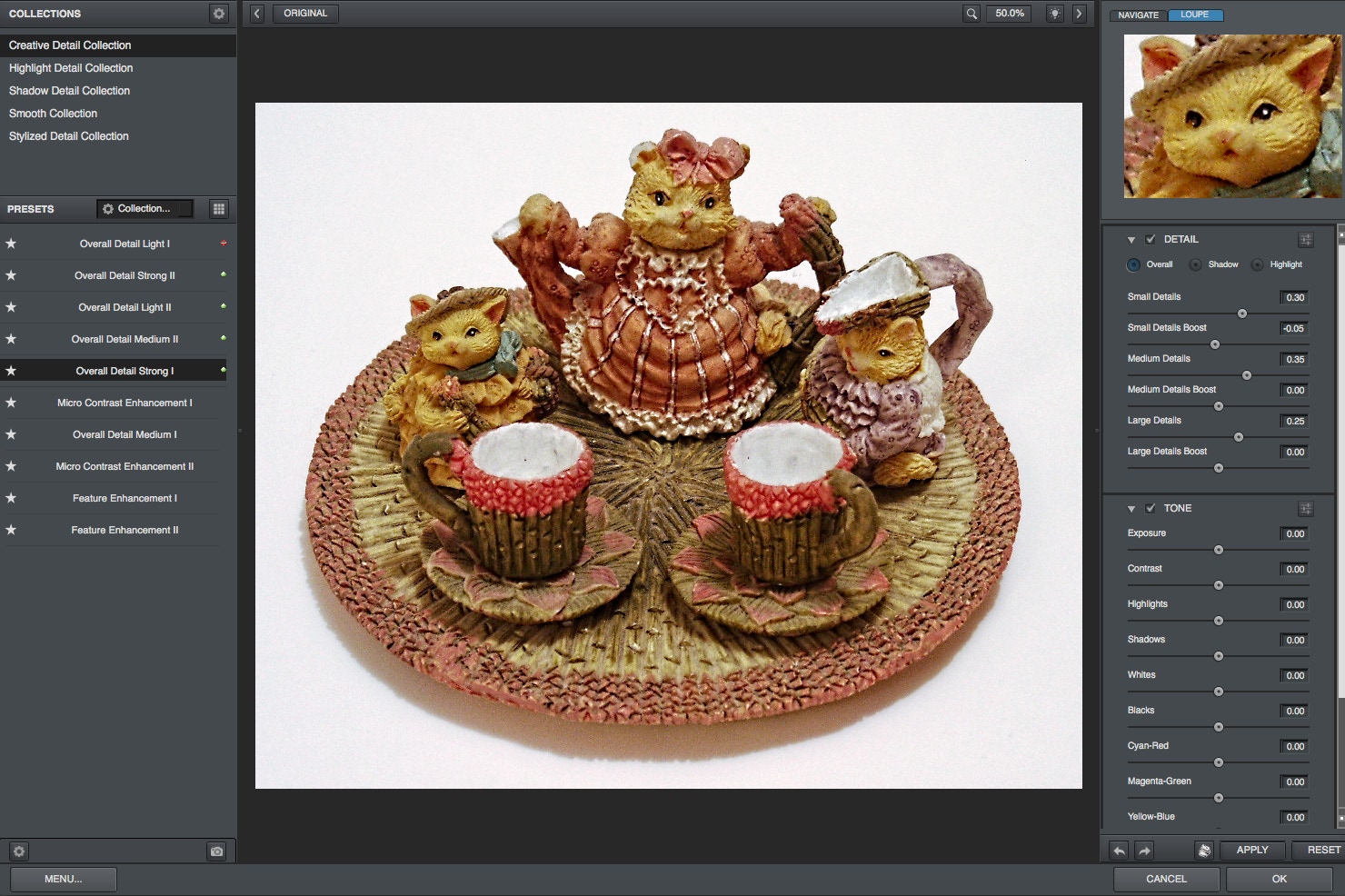
COMPANY: Topaz Labs | URL: (Info link below) | TYPE: Plug-in | PLATFORM: Mac, Windows | PRICE: $39.99
**Save 15% off ALL Topaz products at any time with our coupon code! See Buy button below for details**

Consider purchasing the Topaz Photoshop Plug-In Bundle instead of just Topaz Detail!

The Bundle includes 10 Topaz plug-ins for only $299.99.
You can specify the bundle option while at the Topaz Labs shopping cart (see Buy link below).
One of the main problems with HDR-type post-processing is that you can easily end up with glowing haloes around your subject matter. Topaz Labs has come up with Topaz Detail 2 to address this problem.

Topaz Detail v2 is a major update from v1 that triples the processing speed, sports a slick new user interface, and includes some new processing features.

Detail specializes in sharpening and detail enhancement without creating artifacts or halos. Its underlying algorithms employ the most recent advances in detail enhancement technology to accomplish this. Sharpen without oversharpening, accentuate details without increasing noise, and add dynamism to photos without making them look fake.

Detail is also perfect for enhancing or reducing image sharpness, and for converting your images to grayscale with full control over the tonal range.

Truly artifact-free edge manipulation has only been made possible by some very recent advances in image processing. All other sharpening and detail manipulation techniques up until this point either produce edge halos or drastically increase the noise levels in the image. Detail does neither, which makes it perfectly suited for stunning but completely natural image enhancement.

Push details and sharpness as much or as little as you like with Detail because it's the first detail manipulation product available that doesn't create halos or other artifacts. This unique trait makes Detail ideal for sharpening purposes and for naturally accenting photo detail. Most photographers find that their shots look crisper and richer with the greater feature definition and depth that Detail brings. For example, Detail especially shines on features like mountains, buildings, and wedding dresses.

The great thing about this filter is that now enhancing detail and image clarity no longer means sacrificing realism. Give your photography that elusive extra "pop" easily and naturally.

Features

Detail has many valuable tools to help you naturally enhance the most important and delicate details in your image. Some highlights are:

Image quality improvement: Topaz has had another breakthrough in technology that allows an image to be analyzed and divided up into 3 layers (small, medium and large) for more specific image detailing.

Unprecedented control over tone, contrast, highlight shadows and color detail in an image.

Realtime interface and preset thumbnails that offer previews of each presets' effect on the image are displayed in the Previews finder.

Shortcut hotkeys. For example, use the spacebar to toggle between the original and the processed images, the + and – keys to zoom in/out of the preview, and the arrow keys to change parameter values.

Snapshot buttons. You can temporarily save settings to one of the two snapshot buttons and recall it quickly. This is a good way to compare different settings.

Other miscellaneous features. For example, you can import presets directly from the internet, randomize parameters, etc.

Support Presets which provides one-click action for some common tasks.

•A new Preferences setting to allow users to disable the default multi-core CPU support. Please note: Detail will run slower when the multi-processor support is disabled, but it will avoid problems that are caused by potential conflicts with Intel multi-core processing support (for example, an image printing problem can be resolved by disabling multi-processor support).
15% DISCOUNT off Detail!

Click here
and use "
plugsnpixels" as the coupon code
(no expiration)
More Info